Elevate Your Brand Identity: The Strategic Value of Professional Business Card Design
In an era dominated by digital networking, LinkedIn connections, and instant messaging, one might wonder if the humble business card has become obsolete. The short answer is no; in fact, its role has evolved. A physical business card is no longer just a vessel for contact information—it is a tangible extension of your brand’s personality, a tool for immediate trust-building, and a critical component of your overall marketing strategy. Whether you are a freelance graphic designer, a corporate executive, or a small business owner, investing time into professional business cards design can significantly impact how clients perceive your credibility and attention to detail.
This article explores why high-quality, well-designed business cards matter, what makes a template truly "professional," and how utilizing pre-made, fully editable files like IDML, AI, and PSD formats can streamline your workflow while ensuring premium results.
Why First Impressions Still Matter in a Digital World
Psychological research suggests that first impressions are formed within seconds. When you hand someone your card, you are offering them a physical artifact that represents your professional identity. A poorly designed, pixelated, or generic card can subconsciously signal a lack of professionalism or care. Conversely, a crisp, thoughtfully designed card communicates competence, stability, and creativity.
Consider the scenario of a meeting at a conference. You exchange names with a potential client. They slide your card into their pocket. Days later, they need to remember your name and service. They pull out the card. If it is visually striking, easy to read, and feels high-quality, your brand remains top-of-mind. If it is cluttered or fades quickly, that moment of connection is lost. This is where professional business cards serve not just as contact sheets, but as memory anchors.
Deconstructing the Anatomy of a Perfect Business Card Template
Creating a business card from scratch requires technical expertise in graphic design software, knowledge of print specifications, and an eye for typography. For many entrepreneurs, this process can be daunting. This is why downloading a comprehensive, flat business card template design is often the smartest route. However, not all templates are created equal. To ensure your business identity is promoted effectively, you must look for specific technical features in the download package.
Technical Specifications That Ensure Print Readiness
A common mistake among beginners is designing a card on a screen without understanding print mechanics. A true professional template accounts for these variables before you even open the file. Here is what you should look for:
- CMYK Color Mode: Screens use RGB (Red, Green, Blue) light, while printers use CMYK (Cyan, Magenta, Yellow, Key/Black) ink. A professional template will be set to CMYK to ensure that the colors you see on your monitor match the final printed product. Bright neon greens or deep blues might look vibrant on screen but appear dull or muddy when printed if not converted correctly.
- 300 DPI Resolution: Dots Per Inch (DPI) determines the clarity of the image. Standard web images are 72 DPI, which looks blurry when printed. A 300 DPI resolution ensures that text is sharp and any graphics are crisp, preventing pixelation in the final output.
- Bleeds and Safe Zones: Professional printing involves cutting paper. If your background color or image extends exactly to the edge, a millimeter of misalignment during cutting can leave a thin white strip. A proper template includes "bleeds"—extra space around the edges that gets trimmed off—ensuring your design goes edge-to-edge seamlessly.
File Formats and Editability
The versatility of the template you choose dictates how easily you can customize it. A robust download package should include multiple file types to suit different workflows:
- IDML Files: Ideal for users who prefer Adobe InDesign. These files allow for sophisticated layout control and are excellent for managing text flow and paragraph styles.
- .Ai (Adobe Illustrator) Files: The industry standard for vector graphics. These files allow you to scale logos and shapes infinitely without losing quality. They are perfect for creating custom icons or adjusting vector paths.
- .PSD (Photoshop) Files: Best for photo-heavy designs. If your card relies on complex image manipulation, textures, or layer styles, PSD files offer granular control over pixels.
- .EPS, .PDF, and .JPG: These are often included for preview purposes or for quick edits in simpler software. EPS is great for importing vectors into other programs, PDF is useful for sharing drafts, and JPG serves as a quick visual reference.
The Importance of Organized Layers and Typography
When you purchase a premium template, you are paying for efficiency. A key feature of a high-quality design is that it is fully layered and editable. Imagine receiving a flat image where you have to guess which layer holds the phone number versus the email address. It would be frustrating and time-consuming. Professional templates come with organized layers, allowing you to click directly on the element you wish to change.
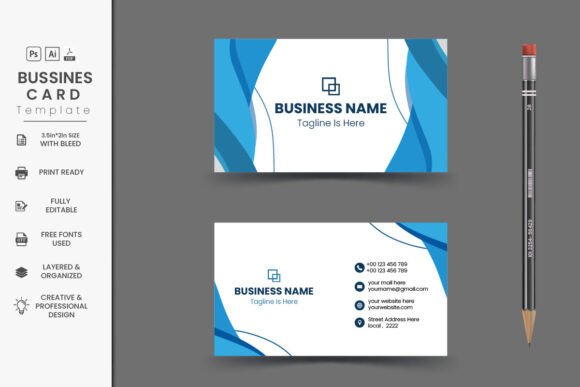
Furthermore, typography plays a crucial role in readability and brand voice. The font used in our suggested template, Poppins, is a geometric sans-serif typeface known for its clean lines and modern aesthetic. It is highly legible at small sizes, making it ideal for contact details. By including links to free fonts like Poppins, the template ensures that you do not face licensing issues or unexpected costs when printing. Using consistent, high-quality fonts helps establish a cohesive visual identity across all your business materials, from your website to your invoices.
Customizing Your Professional Identity
Once you have access to the .EPS, .Ai, .PSD, and .PDF files, the customization process becomes intuitive. Because the template is designed with unlimited colors, you are not restricted to a preset palette. You can input your specific brand hex codes or CMYK values to match your logo perfectly. This flexibility allows you to create a card that feels bespoke, rather than generic.
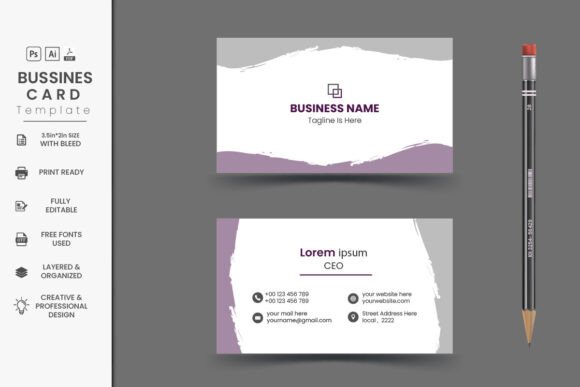
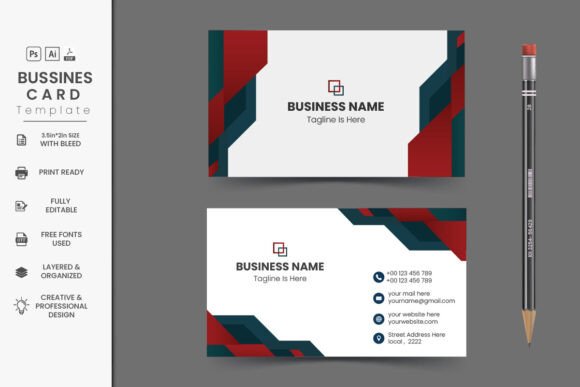
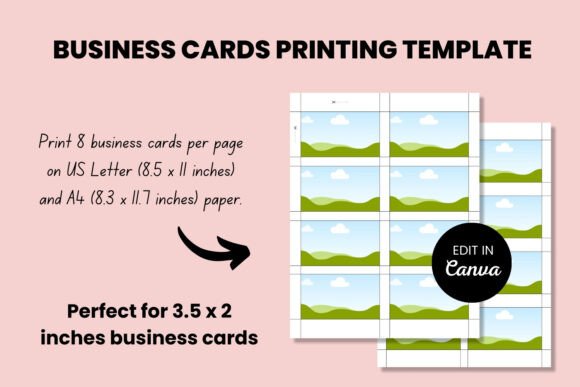
For example, a tech startup might choose a minimalist black-and-white design with a pop of electric blue, leveraging the flat business card template design to convey innovation and simplicity. A creative agency might opt for bold, saturated colors to showcase energy and artistic flair. The 3.5×2 inches standard size provides enough real estate for a name, title, company, phone number, email, and website, without feeling cluttered.
From Screen to Paper: Printing Considerations
Even the most beautifully designed card can fail if printed on poor quality stock. While the digital file may be perfect, the physical manifestation depends on your choice of printer. We strongly suggest using premium quality online printers that specialize in business cards. Look for services that offer various paper weights, finishes (such as matte, glossy, or soft-touch), and special effects like spot UV or foil stamping.
Remember, the tactile experience matters. A thick, heavy cardstock feels more substantial and valuable than a flimsy, thin card. This physical weight reinforces the perceived value of your services. When you pair a print-ready format with high-end printing, you create a memorable unboxing experience for your client, even if the "box" is just a business card holder.
Common Misconceptions About Business Card Design
There are several myths surrounding business cards that can hinder effective design:
Misconception 1: More Information is Better.
Many people try to cram every possible detail onto the card, including social media handles, multiple addresses, and QR codes for everything. This leads to visual noise. A professional design prioritizes clarity. Stick to the essentials: Name, Title, Company, Phone, Email, and Website. Let your website handle the rest.
Misconception 2: DIY Design is Free.
While using a free template saves money upfront, spending hours fighting with unorganized layers or incorrect color modes can cost you more in time and frustration. Investing in a well-structured template with paragraph styles and organized layers saves time in the long run, allowing you to focus on your core business activities.
Conclusion: Making a Lasting Impact
Your business card is a small object with a large potential impact. It is a bridge between the digital and physical worlds, a token of professional courtesy, and a piece of portable advertising. By choosing a professional business cards design that is technically sound, aesthetically pleasing, and easy to edit, you set the stage for successful networking.
Whether you are using the included IDML, Ai, PSD, PDF, and JPG files to create a unique identity or simply updating your existing info, remember that consistency and quality are key. With a 3.5×2 inch canvas, 300 DPI resolution, and CMYK color accuracy, you are equipped to produce a card that stands out. Take the time to customize it, choose premium paper, and watch as your professional reputation grows with every handshake.
If you have questions about editing the files or need assistance with the setup, feel free to send a message or leave a comment. Thank you for choosing our shop for your branding needs, and here’s to making a lasting impression!